Documentation
starrydrive Menu
starrydrive
Installation
Installing StarryDrive
StarryDrive is distributed as a Roblox Studio plugin file and is installed manually.
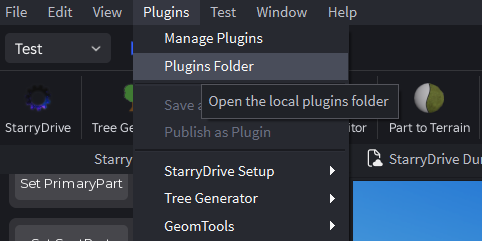
1. Open the Plugins Folder
Open your local Roblox Studio plugins folder.
Windows:
%localappdata%\Roblox\Plugins

macOS:
~/Documents/Roblox/Plugins
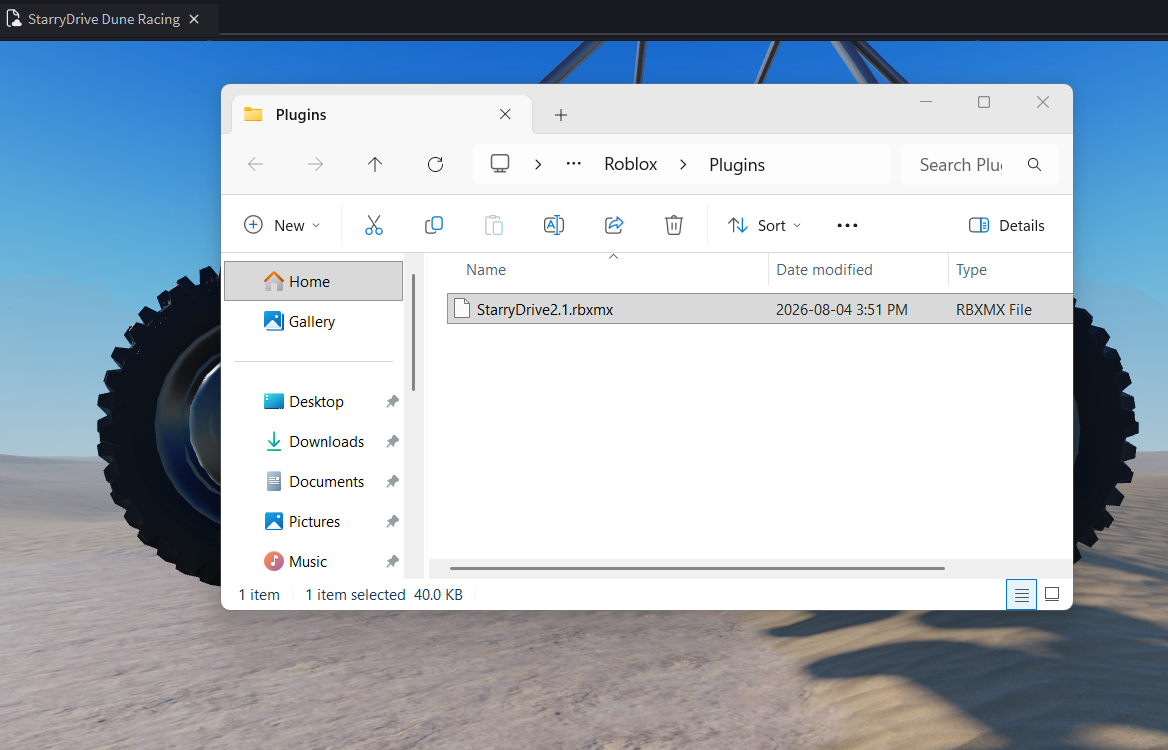
2. Install the Plugin
Copy the downloaded StarryDrive plugin file into the Plugins folder.
3. Restart Roblox Studio
Close and reopen Roblox Studio. StarryDrive should now appear in the Plugins tab and is ready to use.
Can't find the plugin?
Make sure the plugin file is inside the correct
Make sure the plugin file is inside the correct
Plugins folder, then restart Roblox Studio. If you're still having issues, see the Troubleshooting page.