New Vehicle Controller Plugin
What I worked on
I expanded on my controller from the previous devlog by creating a new plugin for it. This is part of my bigger mission to make an easy-to-use, plug-and-play vehicle system on Roblox. By creating this, it is now very easy to set up any vehicle with my system, regardless of shape, size, or weight.
Background
I have been working towards this level of simplicity since the beginning of this project by exposing as many variables as I could as attributes. It already supports presets such as car, truck, and kart with varying settings like max speed, turn speed, drift strength, and acceleration.
Originally, I was working on a racing template, but I wanted it to be easier to configure instead of having one script designed for one type of system. I switched gears to focus on a unified vehicle system that seamlessly converts custom setups into a capable driving model.
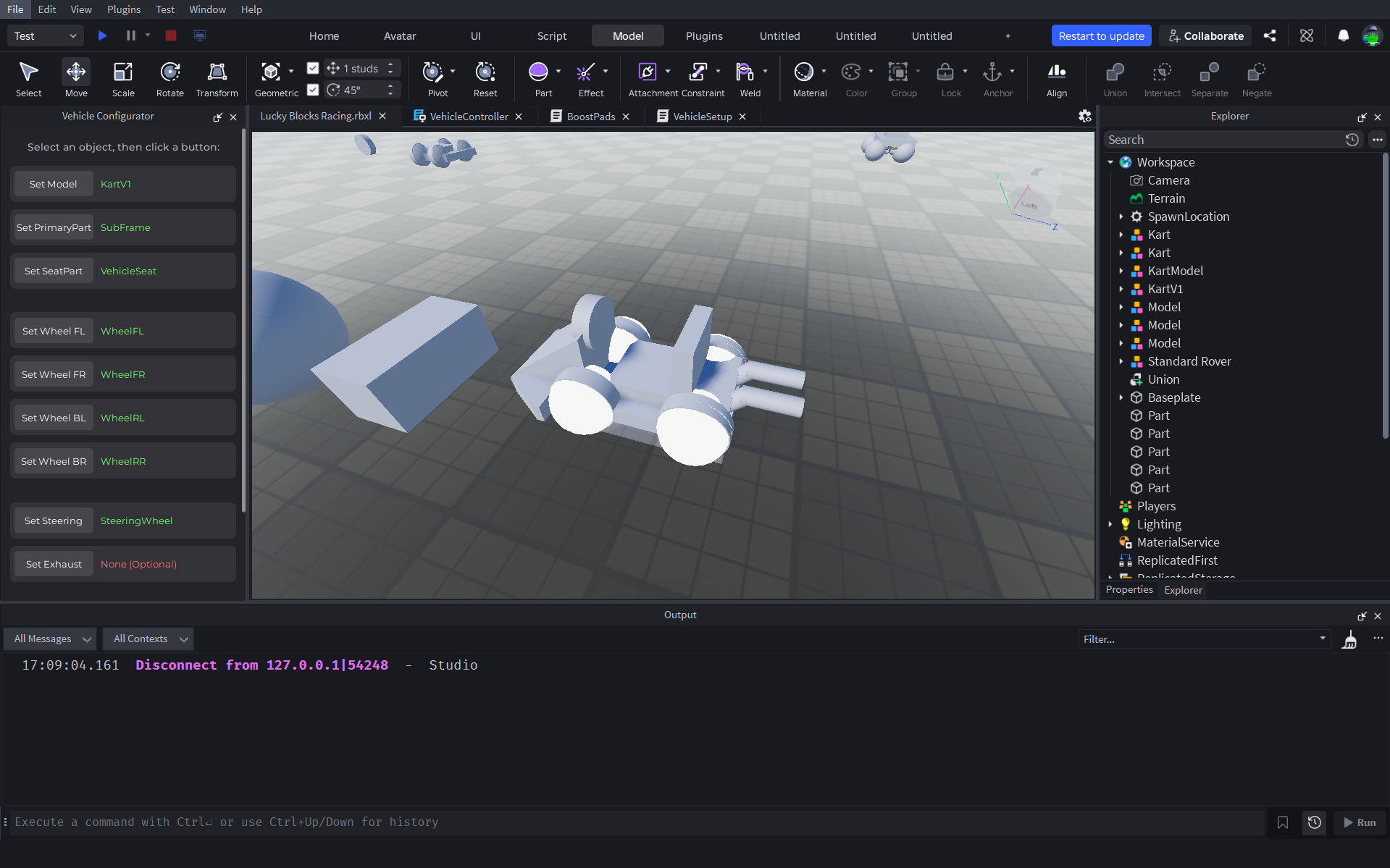
Technical Breakdown
It's set up with a straightforward interface to select the model of a vehicle, its primary part (the single most important part), its seat, and placeholder visual components such as wheels and exhaust. Everything aside from the primary part and the seat is basically visual.
The Primary Part & Raycasting
There are other options for handling wheel positions, but I decided they introduce more complex physics to balance. Instead, each corner of the primary part gets a raycast directed at the ground:
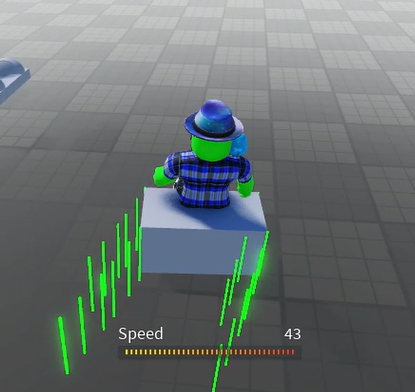
Because suspension and overall movement are calculated based on these points, the wheels need to be directly at each corner of the primary part for the visual placement to align with the actual movement. All physics (suspension, grip, drag) are based on the primary part, so it must be touching the ground (kept invisible).
Up Next
I'll be expanding on the attributes and the system to give more control and add in the visual features. So far, I'm super excited about where this is going! It will be effortless to make a reliable and entertaining vehicle in Roblox with this system.