Custom Vehicle Controller
What I worked on
I spent a while working with Roblox's built-in physics constraints, such as hinges and springs, and aside from how tedious they are to set up, creating a functional car with them is truly an art. I was determined to make it work until I remembered that part of my goal is ensuring it is easy to implement and customize, so I had to go in another direction. To ensure the vehicles are easy to tune, customize, and provide consistent results, I opted to develop my own vehicle controller with ground raycasting and scripted velocity.
Background
Initially, after the full physics model delivered inconsistent results and I inevitably scrapped it, I tried a hybrid model with constraints and scripted steering. The most difficult part of the full physics model was that the steering would constantly over-correct itself. If I applied thrust on one wheel and opposite on another and set limits, it would blast past these limits regardless of how fast or slow it was going, oscillating back and forth. I tried to limit this with a dead zone, but interestingly it was breaching this zone by a substantial margin within a single frame (faster than you could even see), so I tried to compensate for this by scripting the steering with angular velocities while keeping the springs for easier suspension. However, the springs are just as tricky to work with, since without proper tuning, they can very quickly give a sad image of a car that once had its wheels below the vehicle, now positioned half on top and glitched inside:
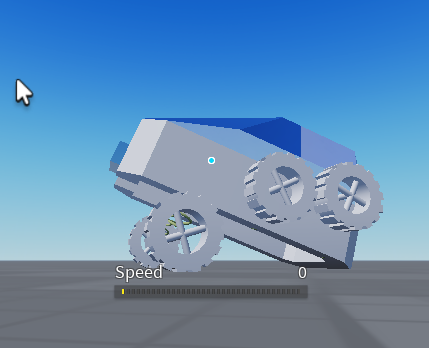
After struggling with the springs for a bit too long, I also did away with them and decided to build my own system.
The Core System
I tried angular velocity for a while, but my goal was a simple two-wheel-drive setup where the driving force simply follows the current trajectory of the vehicle. As per Newton's First Law of Motion, we can break each force into its respective x and y components. Angular velocity does not affect the linear velocity pushing the car forward, so even a strong angle will largely result in the vehicle flipping because the car's current motion is still going forward (nothing is stopping it from doing so; just because it rotates doesn't mean it still doesn't have kinetic energy). I overcame this by swapping the angular velocity for aligned orientation and keeping the velocity bound by the root part's look vector. With that in place, I had a basic controller that glides on the ground and moves in the forward direction of the vehicle.
The Slope Issue
My new issue was that going up a slope had no effect on the car's orientation due to it being overridden by the align orientation. This resulted in the car looking like it was floating in the air, so I had to get a little creative:
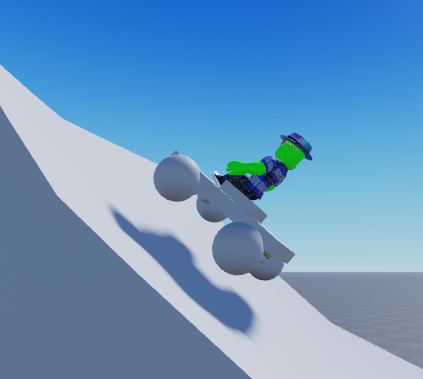
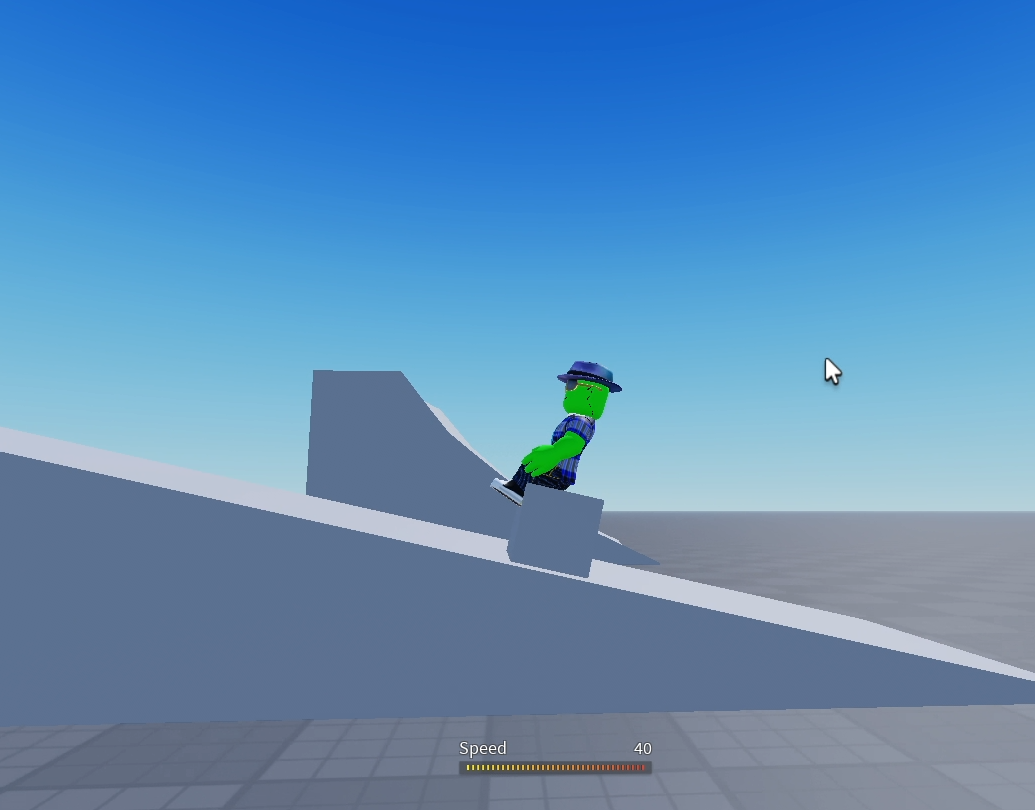
I implemented a four-point raycast system that computes the dot and cross products to project a vector onto the slope of the ground and determine the real orientation:
Drifting
I also wanted a working drift system for testing, so I expanded on my orientation logic to factor in a drift strength, which would widen the turn radius while holding down the drift key, and added a lift to the side of the vehicle during a turn that lifts the side of the vehicle more during a drift (as if you're actually banking the turn). It's just a fun little visual.
Up Next
With a working controller, I just need to expand on my raycast system to add suspension and rig up the rest of the kart's visuals, such as fake wheels and an exhaust.